For operators
Find the products and store changes that deserve investigation.
FOR AMAZON SELLER TEAMS
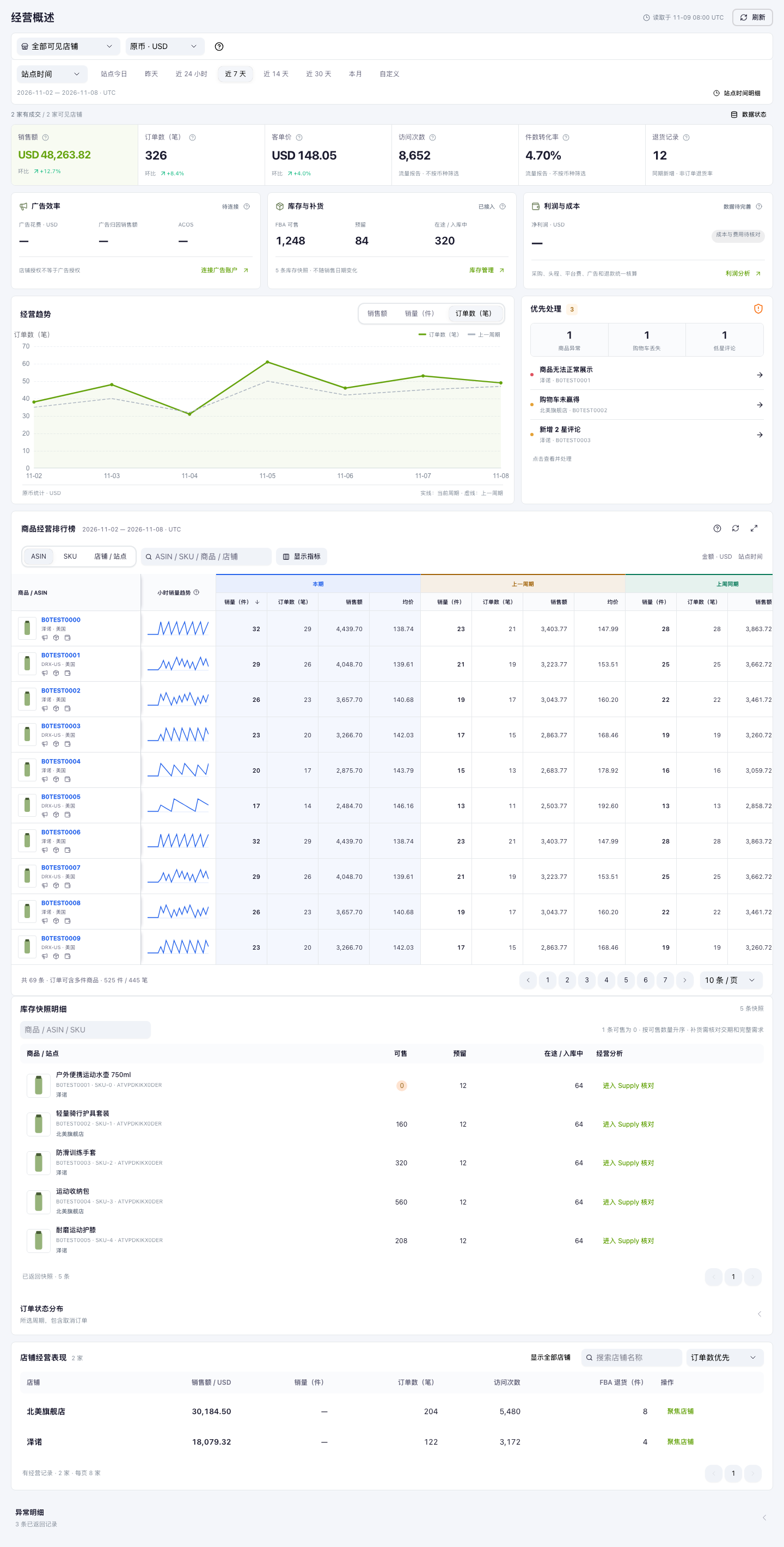
Large Launcher helps Amazon seller teams review store performance, inventory and financial records, then decide what to work on next.
 Look inside ↗
Use the same store and reporting period to review sales, inspect stock, then examine the financial records. Keep the difference between what happened and what to do next visible.
Compare stores and product trends.
Inspect offers, inventory and order status.
Review settlements, fees and cost inputs.
Find the products and store changes that deserve investigation.
Review source transactions and costs before explaining the margin.
Bring the operating and financial questions into the same discussion.
INSIDE THE PRODUCT
Real interfaces from our product suite.
Start with four workspaces, then explore ten more views below.
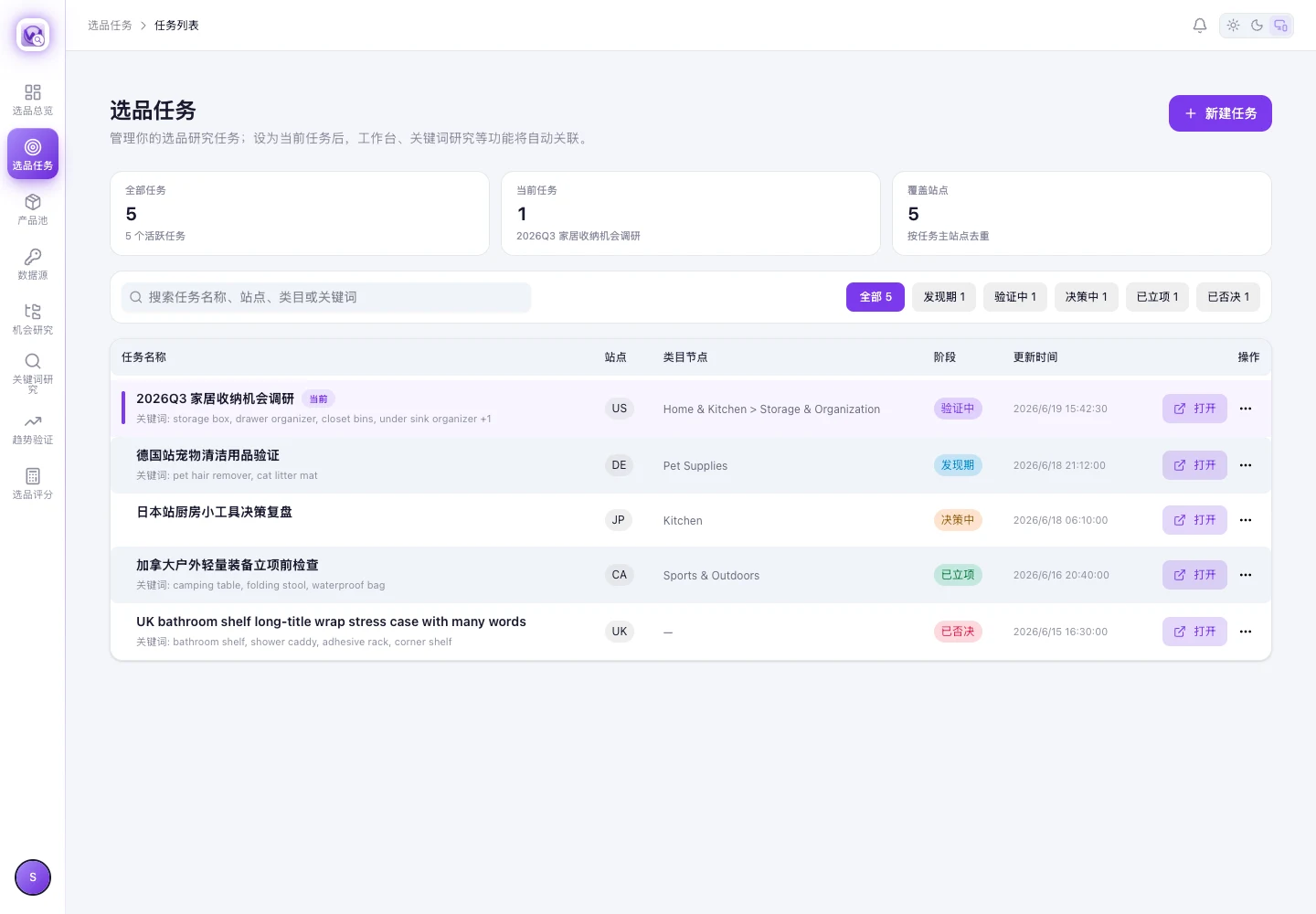
The product research workspace brings tasks, marketplaces, keywords and review stages into one view.
 View full screenshot ↗
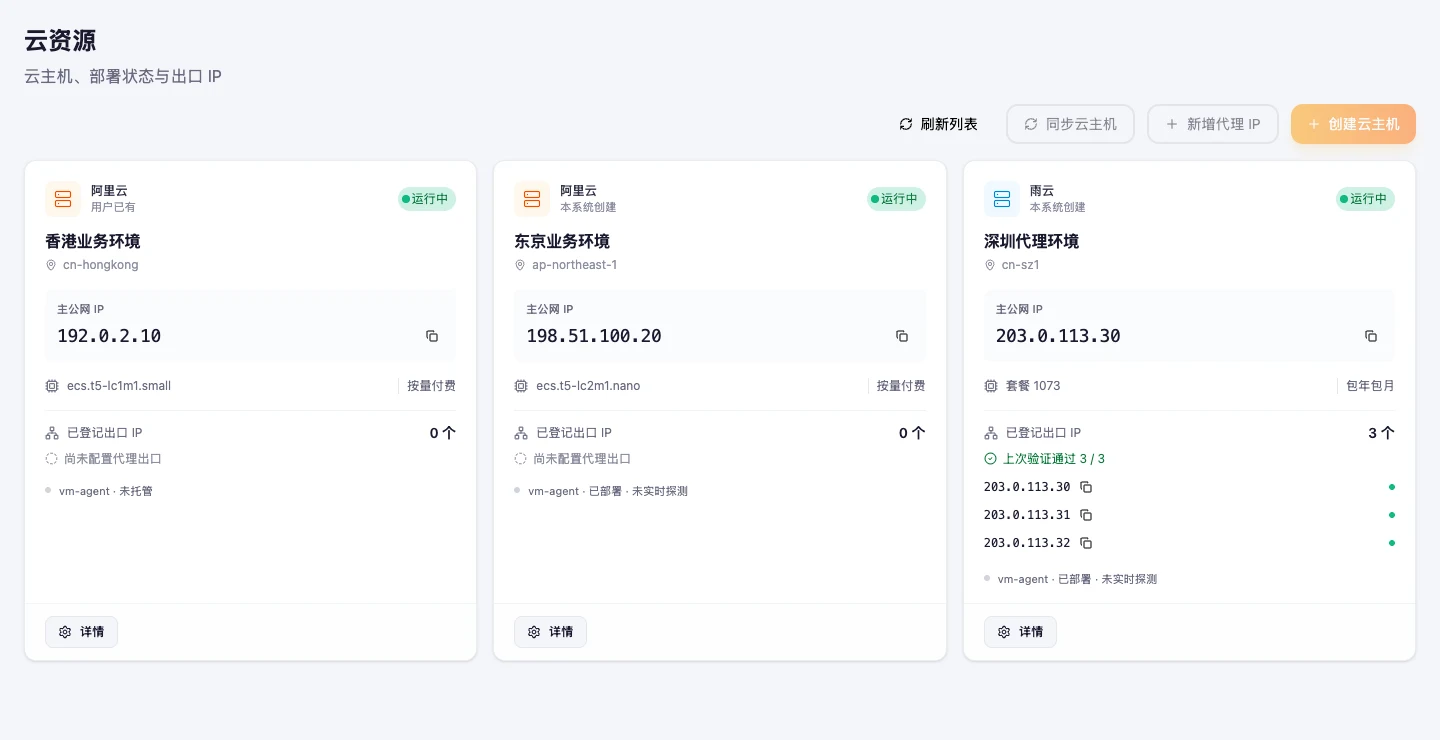
Review resource status and the environments used by your seller team in the existing workspace.
 View full screenshot ↗
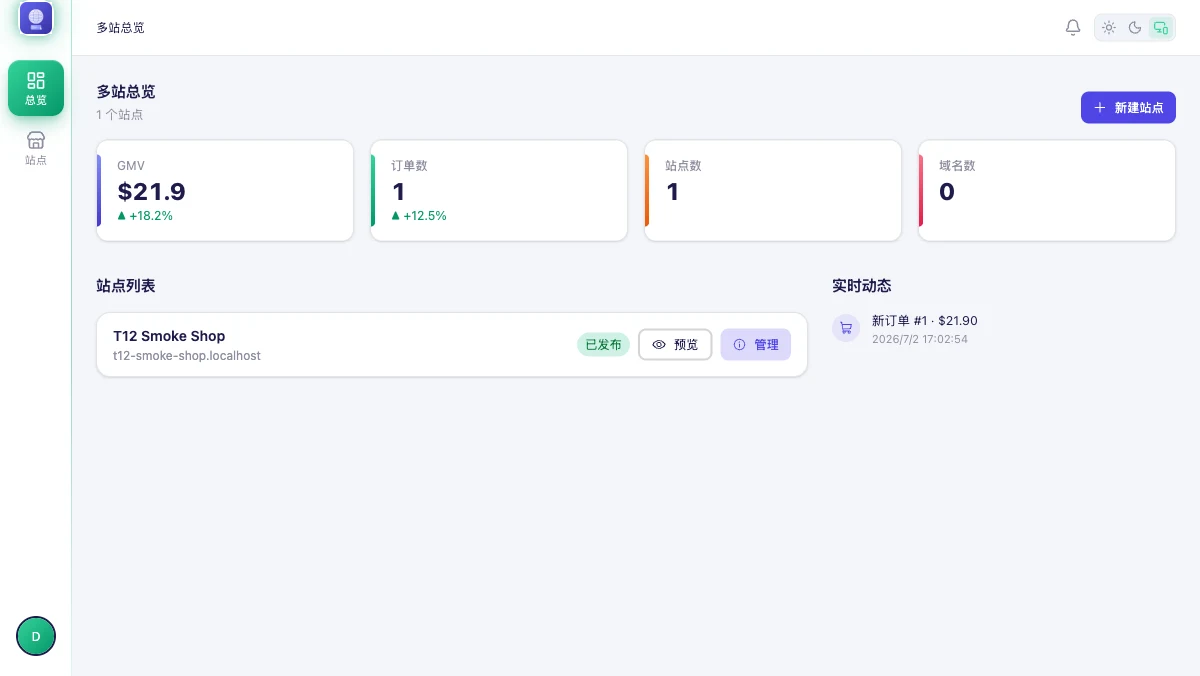
The site management workspace brings storefronts and their activity into a shared overview.
 View full screenshot ↗
Explore the existing revenue workspace and its reporting, settlement and exception-management views.
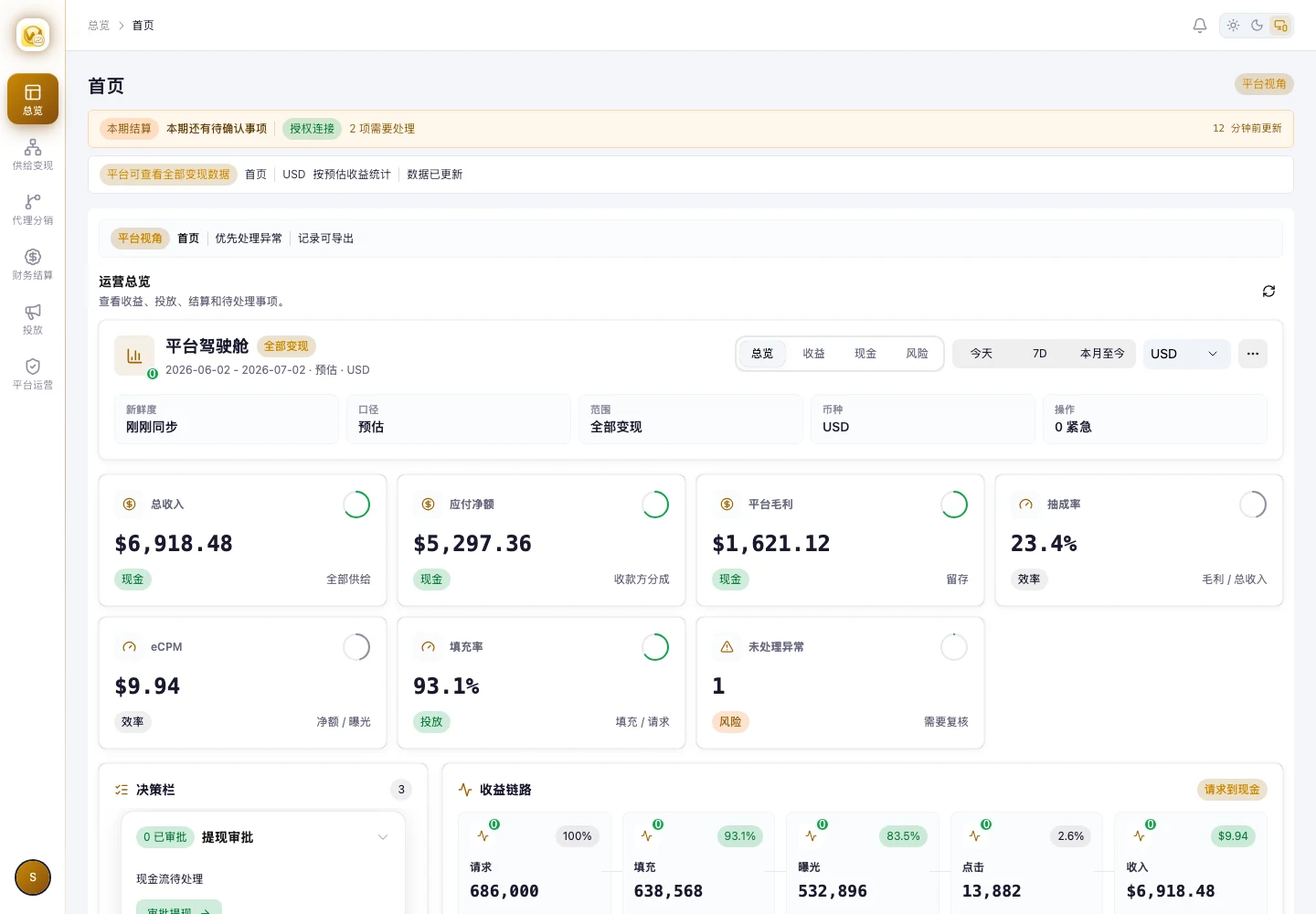 View full screenshot ↗
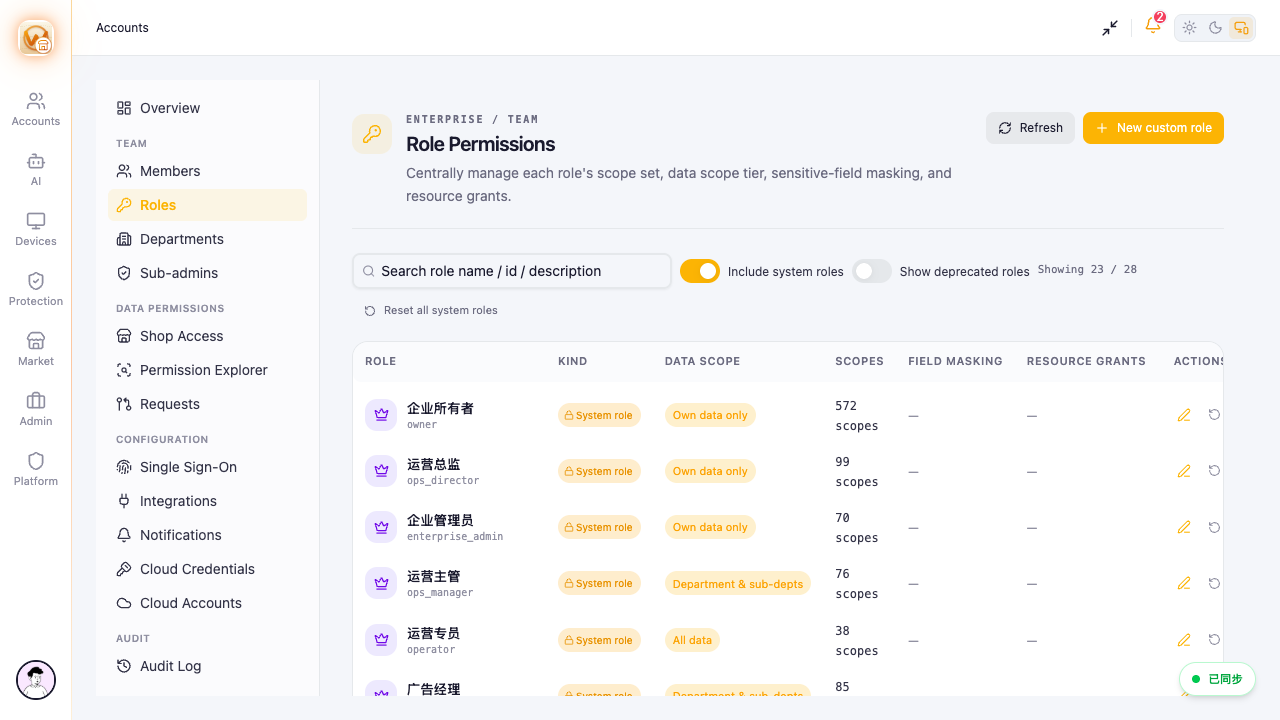
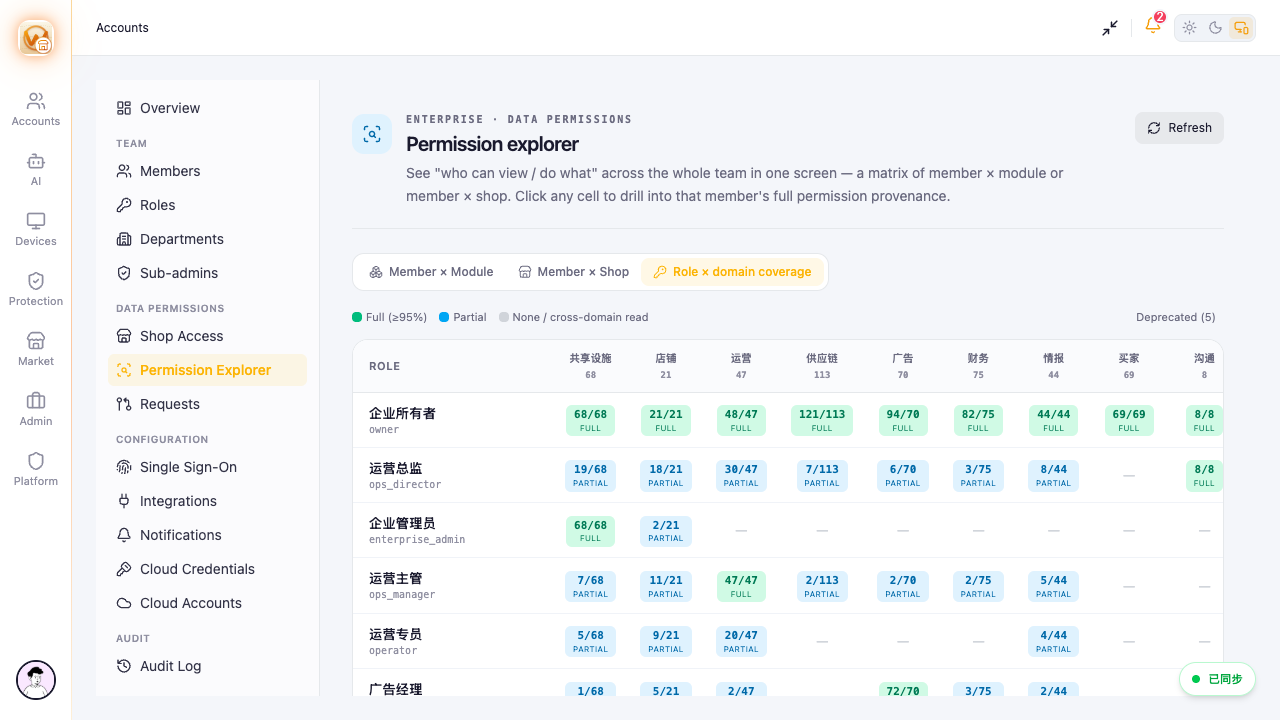
Screenshots retain the product’s Chinese interface and demonstration data. They show existing workflows, not customer results or proof that planned API integrations are live.
MORE OF THE WORKSPACE
Ten more views of everyday product workflows. Select any screenshot to explore the full interface.
View full screenshot ↗Sales, orders and inventory in one operating view.
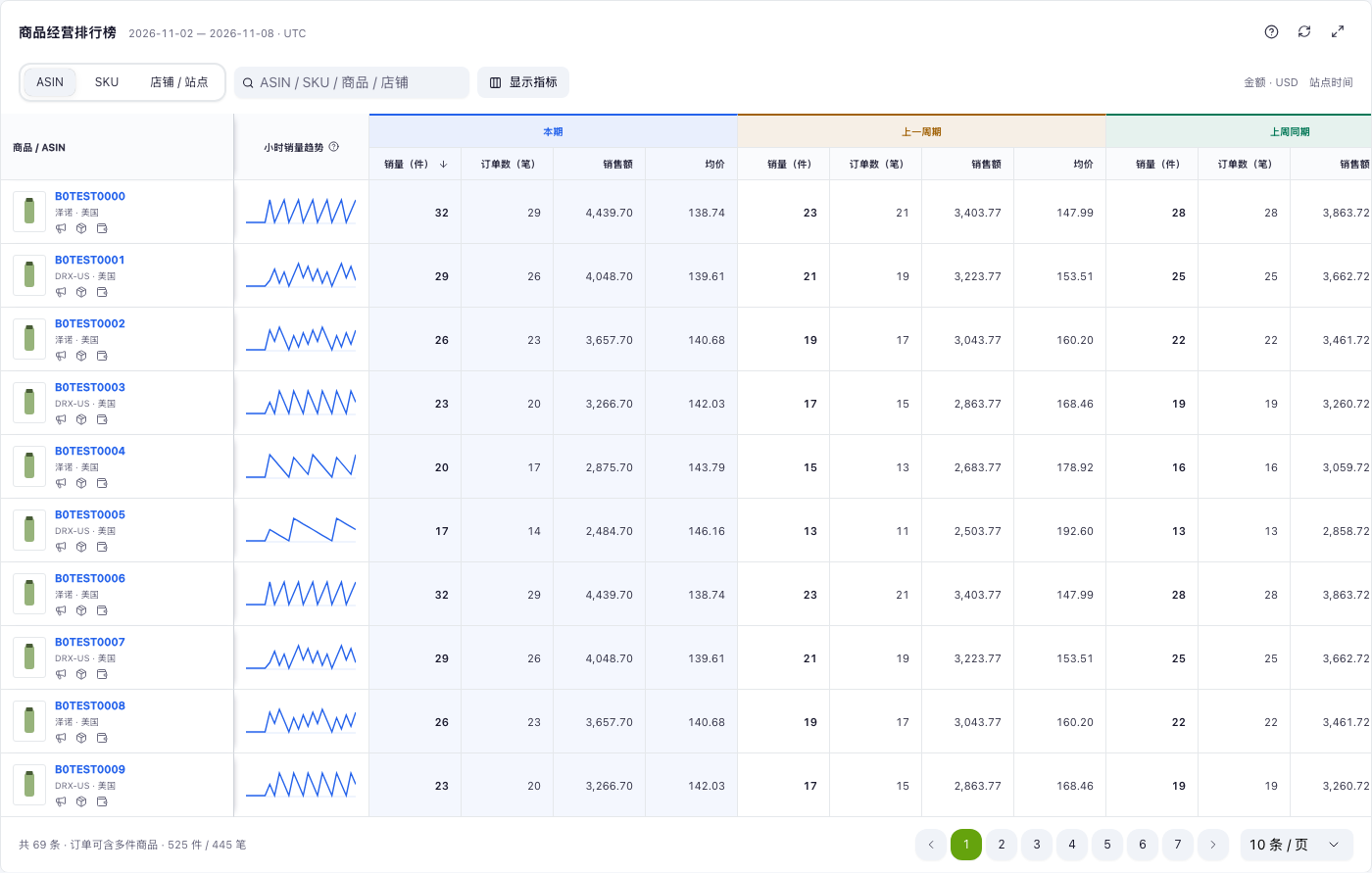 View full screenshot ↗
Compare product sales across reporting periods.
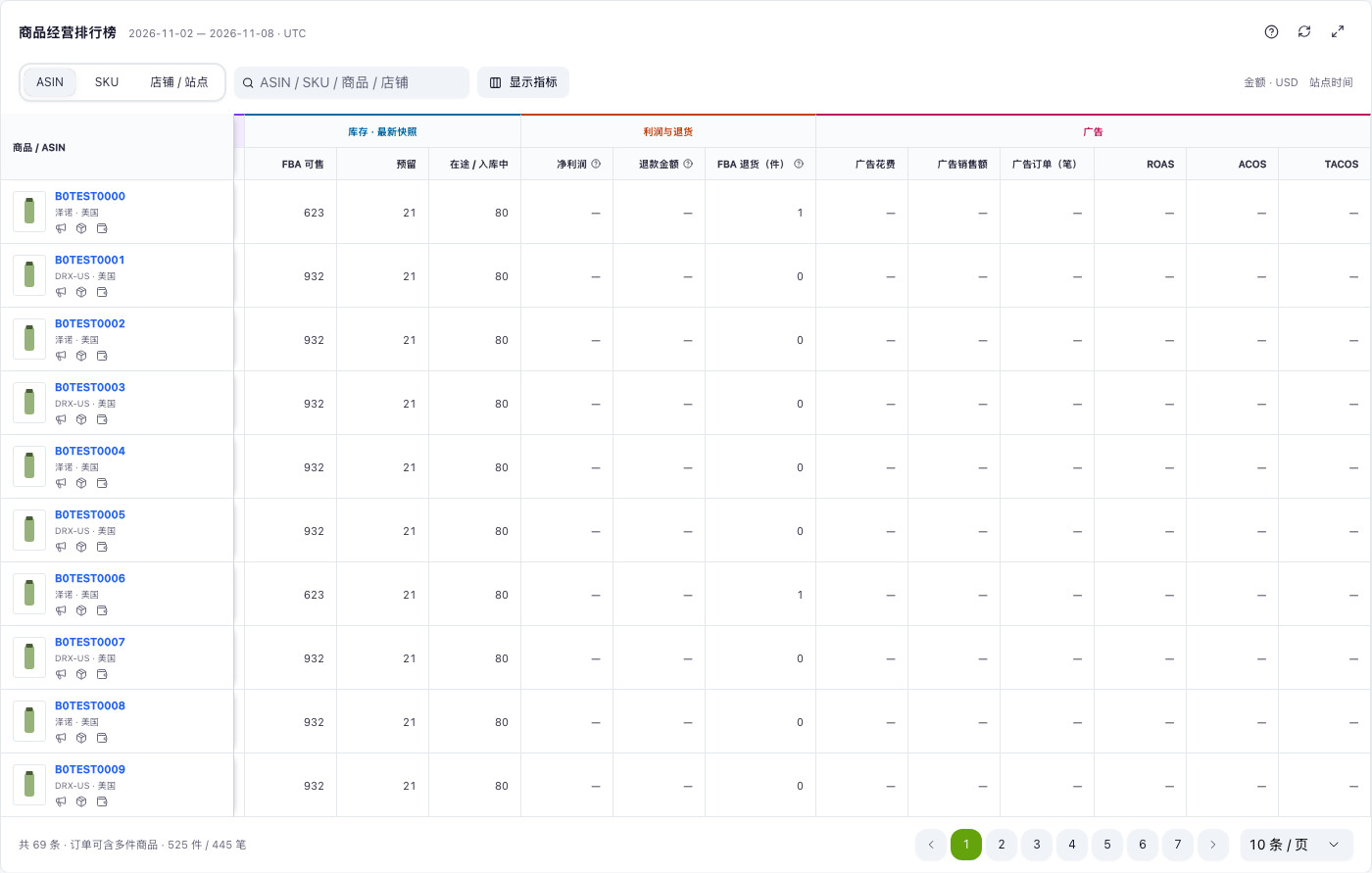 View full screenshot ↗
Review available, reserved and inbound FBA quantities.
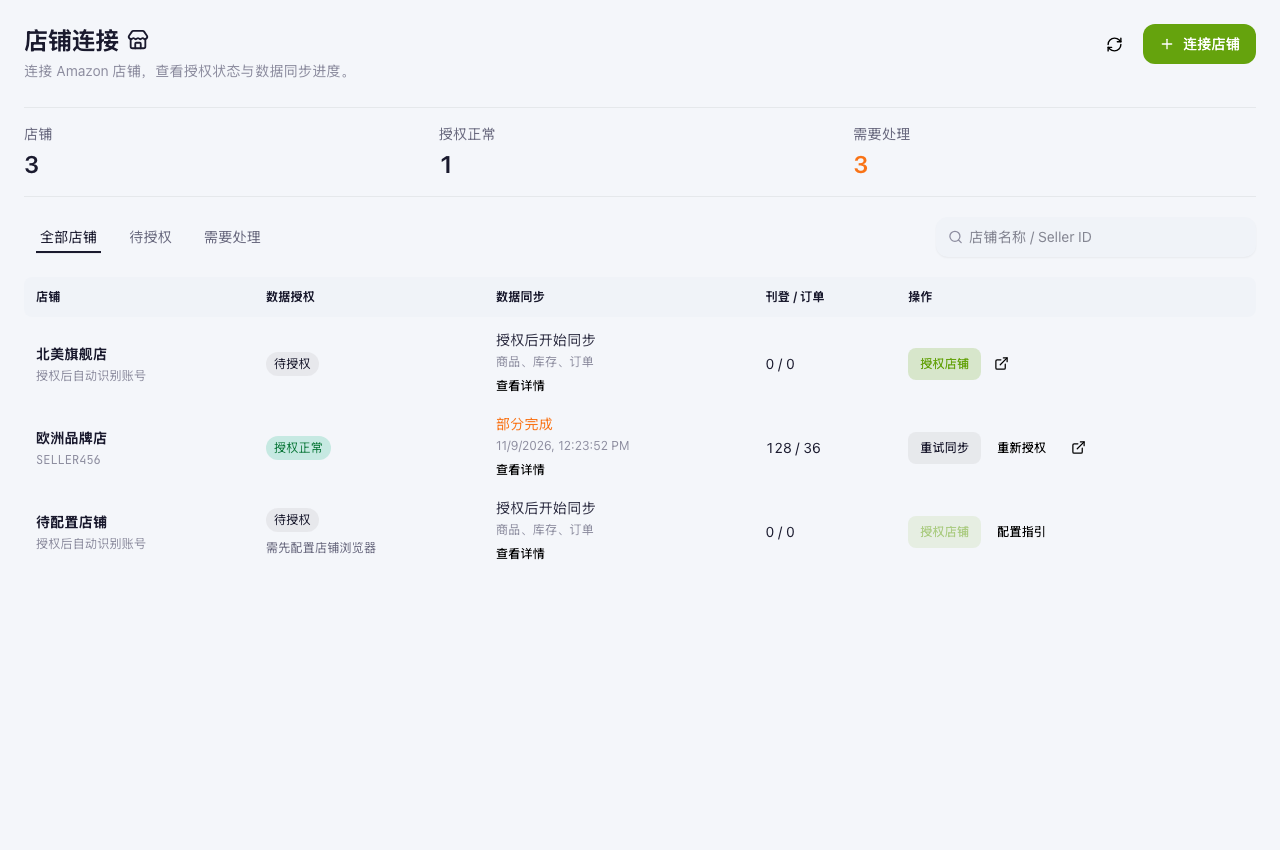 View full screenshot ↗
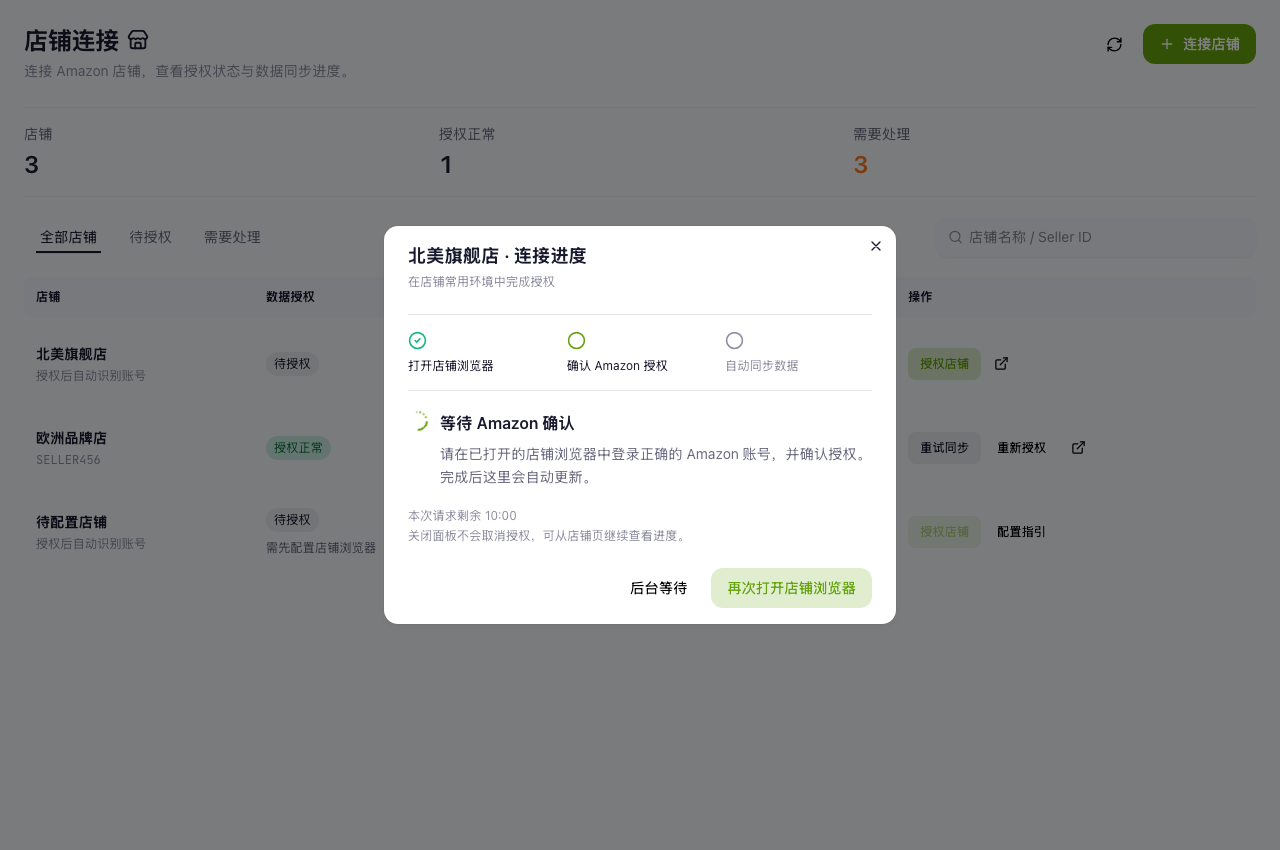
Review store authorization and synchronization status.
 View full screenshot ↗
Follow the steps of the seller consent workflow.
 View full screenshot ↗
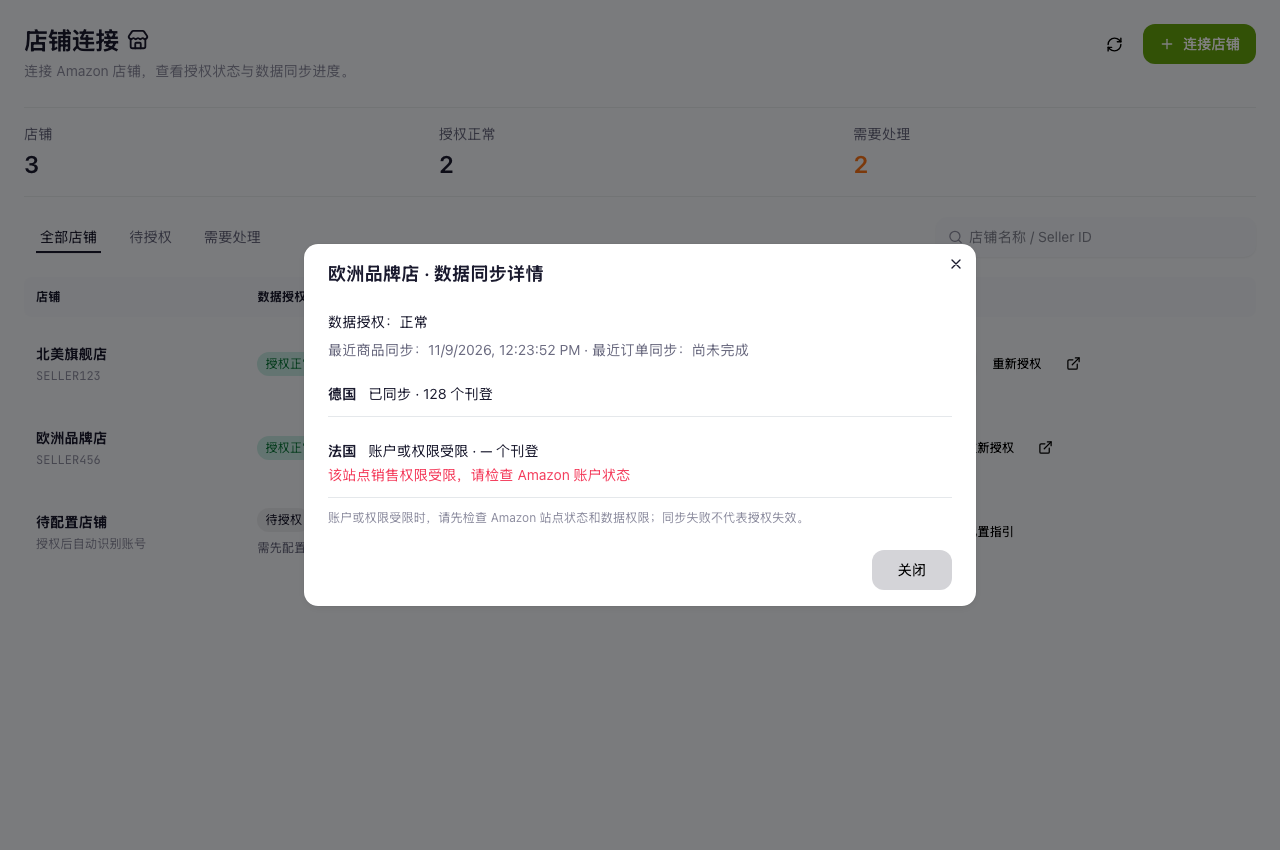
Inspect marketplace-level synchronization results.
 View full screenshot ↗
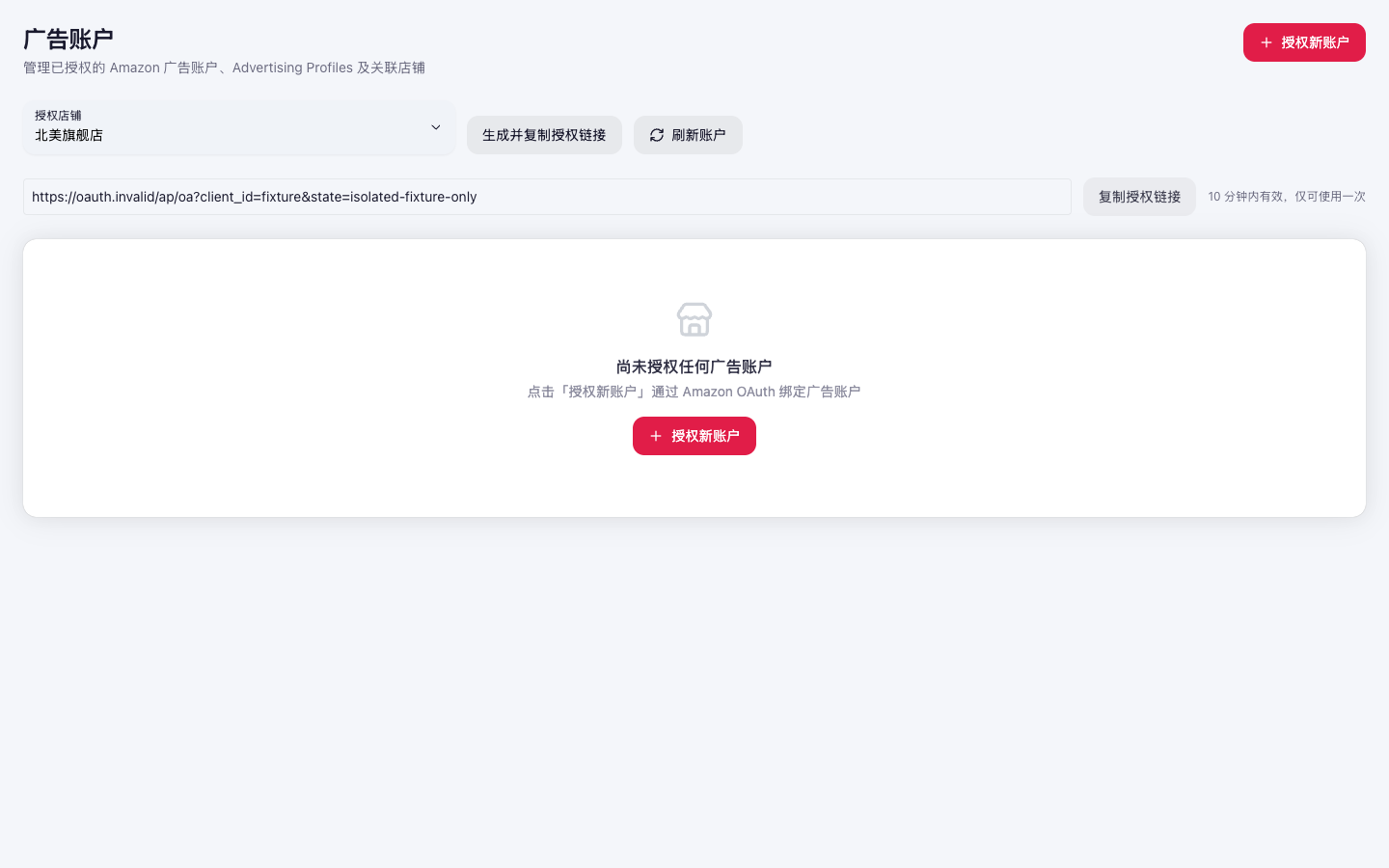
A separate connection flow for Amazon Ads accounts. Amazon Ads access is separate from SP-API permissions.
 View full screenshot ↗
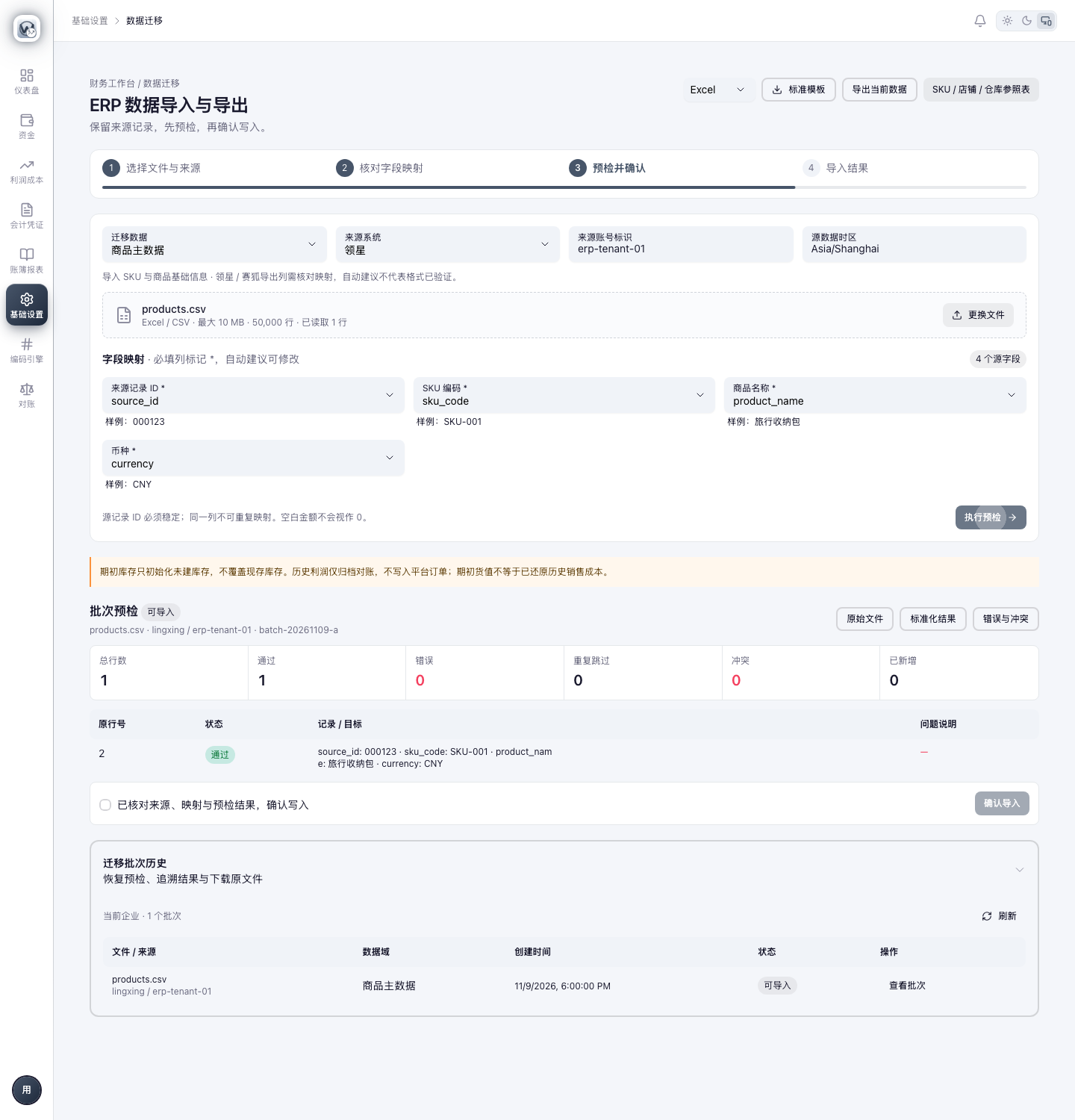
Map source fields, preview records and check an import batch.
 View full screenshot ↗
Review role scopes and access settings in the team workspace.
 View full screenshot ↗
Inspect role coverage across product modules.
Original product and acceptance-test screenshots. Example stores, products and figures illustrate the interface; they are not customer performance claims. Screenshots may retain WinAMZ branding. Planned integrations remain subject to the availability stated on our features page.
Product demonstrations are available by inquiry. Large Launcher public Amazon account connection is not yet open. The features page separates existing product workflows from planned extensions; we’ll confirm store, marketplace and module availability with you before any service agreement.
How store authorization and data access work ↗A stock decision, a settlement discrepancy, or a weekly store review: tell us where your team gets stuck. We’ll discuss the relevant screens, data and setup with you.
Book a workflow demo ↗